

N-Prem Hub | Carpet Cleaning Simulator Script | No Key, Auto Job Complete
385 Views
Keyless
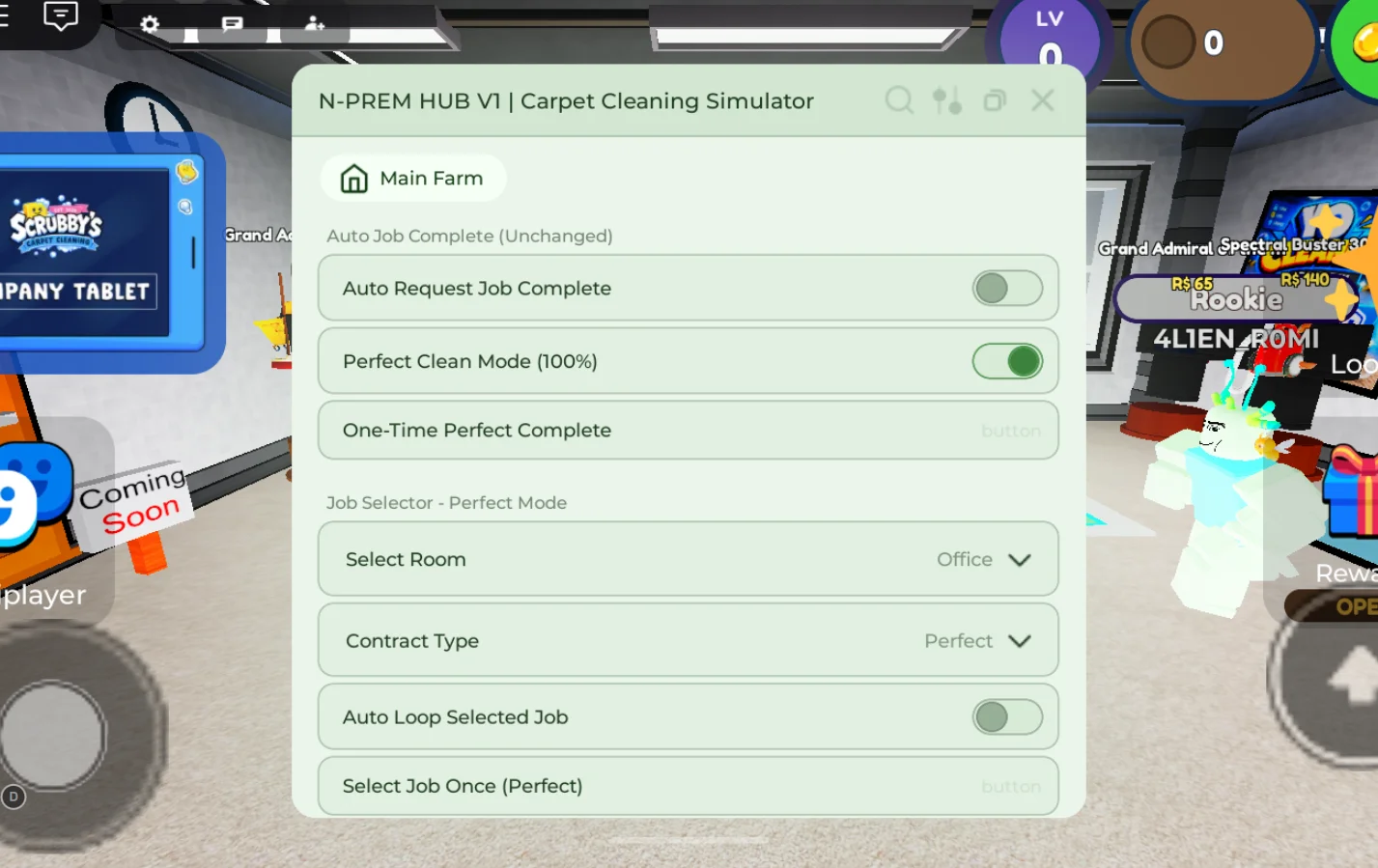
Want to level up faster in N-Prem Hub? Carpet Cleaning Simulator Script is a keyless Roblox script that lets you use Auto Job Complete, Auto Request Job Complete and One Time Perfect Complete, so you can reach your goals in a fraction of the usual time.
About N-Prem Hub
N-Prem Hub is a simulation game developed by Curse Free Studios. The gameplay centers on hatching cute companions who scrub alongside you and working through the main loop and earning rewards. What takes the longest is repeating rounds for upgrades. The game has more than 31.2 million visits so far.
What Carpet Cleaning Simulator Script does in N-Prem Hub
One Time Perfect Complete makes encounters in N-Prem Hub far easier to handle. You also get Auto Job Complete and Auto Request Job Complete as part of the Carpet Cleaning Simulator Script menu.
How to Use the N-Prem Hub Script
Step 1: Open N-Prem Hub in Roblox.
Step 2: Launch your executor, such as Delta, Codex or Arceus X.
Step 3: Copy the script from this page and paste it into the executor.
Step 4: Press Execute, wait for the Carpet Cleaning Simulator Script menu to load, then turn on the features you want.
Script details
Hub: Carpet Cleaning Simulator Script
Key: Keyless
Status: Verified & Working
Executors: Delta, Codex, Arceus X
Last tested: July 10, 2026
Does the N-Prem Hub script need a key?
No. Carpet Cleaning Simulator Script is keyless, so you can paste the script into your executor and run it right away without any key steps.
No reports yet. Tried it? Let other players know.
Script copied! Rate it to help other players.
💡 Pro Tip: Press Ctrl+D to bookmark this page for updated scripts

Check out N-Prem Hub | Carpet Cleaning Simulator Script | No Key, Auto Job Complete on Auto Farm Script
SHARE VIA
OR COPY LINK



Comments (0)
Log in to add a comment.