
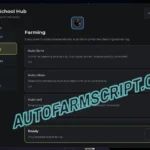
Clean the Moon Script | School Hub | Auto Farm, Auto Clean
230 Views

Key System
Looking for a script for Clean the Moon? School Hub is a key system Roblox script made for it. It lets you use Auto Farm, Auto Clean and Auto Upgrade Objects, so you can skip the slow grind and focus on the fun parts.
About Clean the Moon
Clean the Moon plays like an incremental simulator built by Lunarlit Works. Sessions revolve around selling what you collect, unlocking cleaning robots to automate your work and upgrading your broom. The real time sink is pushing your numbers higher and rebirthing for multipliers, and it has already pulled in over 3.8 million visits.
What School Hub does in Clean the Moon
Auto Farm and Auto Clean handle the routine work in Clean the Moon without any input from you. With Auto Upgrade Objects and Auto Buy Tools, your upgrades in Clean the Moon keep up with your earnings.
How to Use the Clean the Moon Script
Step 1: Open Clean the Moon in Roblox.
Step 2: Launch your executor, such as Delta, Codex or Arceus X.
Step 3: Copy the script from this page and paste it into the executor.
Step 4: Press Execute, wait for the School Hub menu to load, then turn on the features you want.
Script details
Hub: School Hub
Key: Key System
Status: Verified & Working
Executors: Delta, Codex, Arceus X
Last tested: November 2, 2026
Does the Clean the Moon script need a key?
Yes, School Hub uses a key system. When you execute the script, follow the key link it shows, finish the steps in your browser and paste the key into the menu.
loadstring(game:HttpGet("https://raw.githubusercontent.com/suzukir987/School-Hub/main/loader.lua"))()
No reports yet. Tried it? Let other players know.
Script copied! Rate it to help other players.
💡 Pro Tip: Press Ctrl+D to bookmark this page for updated scripts

Check out Clean the Moon Script | School Hub | Auto Farm, Auto Clean on Auto Farm Script
SHARE VIA
OR COPY LINK


Comments (0)
Log in to add a comment.