
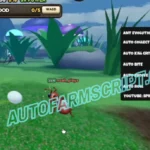
Ant Evolution Script | Spiritual Gaming | Auto Evolve, Auto Collect Orbs
209 Views

Key System
What is the Spiritual Gaming Ant Evolution script? Spiritual Gaming is a free Roblox script for Ant Evolution that uses a quick key system. It includes Auto Roll, Auto Bite and Auto Collect Orbs, plus 2 more features listed below. The script runs from a single loadstring: copy the code below, paste it into a working executor on PC or mobile (Delta, Codex, Arceus X and similar), join Ant Evolution and press execute. When the key screen opens, follow the hub link, get your key and paste it into the GUI. This page was last updated on 17 November 2026, and players can vote below on whether it still works. Test new scripts on an alt account, because any third-party script can get a Roblox account banned.
Use the Spiritual Gaming script for Ant Evolution on Roblox. Auto Kill Critters, Auto Evolve, Auto Bite and more features are included, the setup is simple, and it works on all executors, so you can start playing in just a few seconds.
loadstring(game:HttpGet("https://gist.githubusercontent.com/spiritualgaming1123-beep/0aaebb1a2dd14061aa6d3bfa4a18c8d5/raw/70615cb820379fc6729bb8f9afd3749fab974e39/AntEvolution"))()
No reports yet. Tried it? Let other players know.
No. Spiritual Gaming uses a key system. Run the loadstring, open the key link from the GUI, complete the steps and paste the key to unlock the features.
It is a standard loadstring script, so it should run on any working executor on PC, Android or iOS, such as Delta, Codex or Arceus X. If one executor fails to inject, try another one.
Open Ant Evolution in Roblox, launch your executor, paste the loadstring from this page, press execute and use the GUI to switch features on.
No third-party script is fully safe. Use an alt account, never paste your password or cookies anywhere, and stop using a script if the vote above shows it is patched.
Script copied! Rate it to help other players.
💡 Pro Tip: Press Ctrl+D to bookmark this page for updated scripts

Check out Ant Evolution Script | Spiritual Gaming | Auto Evolve, Auto Collect Orbs on Auto Farm Script
SHARE VIA
OR COPY LINK


Comments (0)
Log in to add a comment.