
Xray Script Roblox Universal | FrostYt | No Key, See Through Walls
46 Views
Keyless
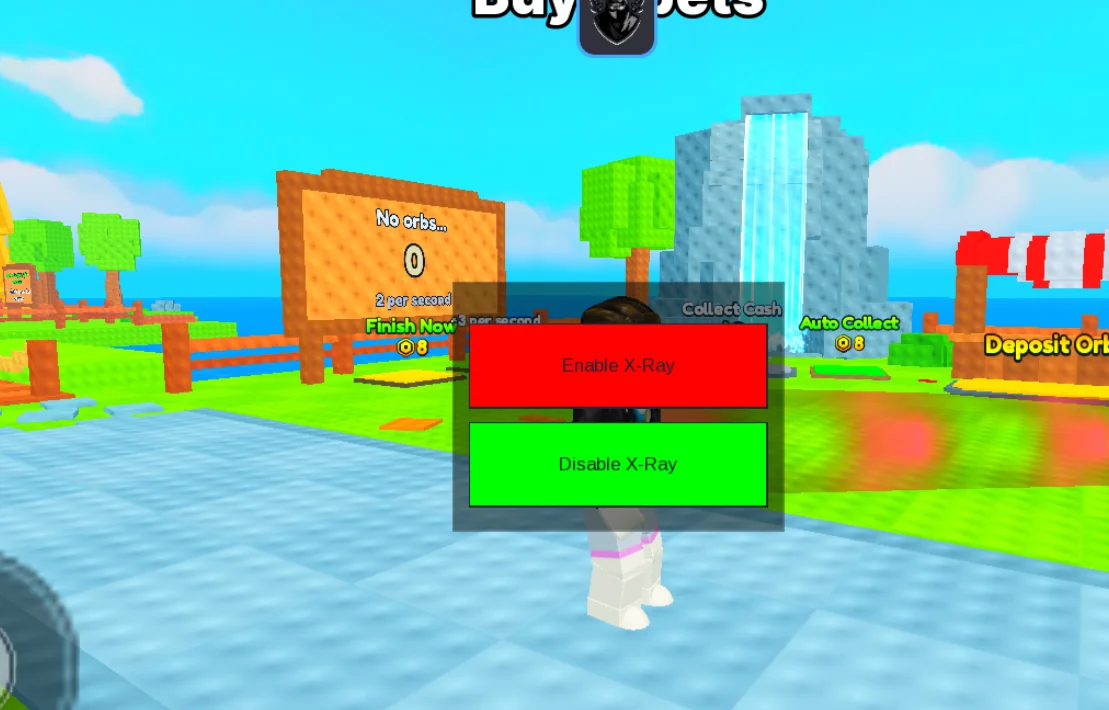
FrostYt Hub is the best script for all Roblox Games!! You can now unlock all the features like Highlight Outline, See Players Through Walls and Toggle GUI.
local Players = game:GetService("Players")
local LocalPlayer = Players.LocalPlayer
local PlayerGui = LocalPlayer:WaitForChild("PlayerGui")

-- Create ScreenGui
local screenGui = Instance.new("ScreenGui")
screenGui.Parent = PlayerGui

-- Create Frame
local frame = Instance.new("Frame")
frame.Size = UDim2.new(0, 200, 0, 150)
frame.Position = UDim2.new(0.5, -100, 0.5, -75)
frame.BackgroundTransparency = 0.5
frame.BackgroundColor3 = Color3.new(0, 0, 0)
frame.Draggable = true
frame.Active = true
frame.Visible = false -- Initially hidden
frame.Parent = screenGui

-- Create X-Ray Button
local xrayButton = Instance.new("TextButton")
xrayButton.Size = UDim2.new(0, 180, 0, 50)
xrayButton.Position = UDim2.new(0, 10, 0, 25)
xrayButton.BackgroundColor3 = Color3.new(1, 0, 0)
xrayButton.Text = "Enable X-Ray"
xrayButton.Parent = frame

-- Create Disable X-Ray Button
local disableXrayButton = Instance.new("TextButton")
disableXrayButton.Size = UDim2.new(0, 180, 0, 50)
disableXrayButton.Position = UDim2.new(0, 10, 0, 85)
disableXrayButton.BackgroundColor3 = Color3.new(0, 1, 0)
disableXrayButton.Text = "Disable X-Ray"
disableXrayButton.Parent = frame

-- Create Open/Close Button
local toggleGuiButton = Instance.new("TextButton")
toggleGuiButton.Size = UDim2.new(0, 100, 0, 50)
toggleGuiButton.Position = UDim2.new(0, 10, 0, 10)
toggleGuiButton.BackgroundColor3 = Color3.new(0, 1, 0)
toggleGuiButton.Text = "Open GUI"
toggleGuiButton.Parent = screenGui

local highlights = {}

local function highlightPlayers()
    for _, player in pairs(Players:GetPlayers()) do
        if player ~= LocalPlayer then
            local character = player.Character
            if character then
                local highlight = Instance.new("Highlight")
                highlight.Adornee = character
                highlight.FillTransparency = 1
                highlight.OutlineTransparency = 0
                highlight.OutlineColor = Color3.new(1, 0, 0)
                highlight.Parent = character
                table.insert(highlights, highlight)
            end
        end
    end
end

local function removeHighlights()
    for _, highlight in pairs(highlights) do
        if highlight then
            highlight:Destroy()
        end
    end
    highlights = {}
end

local function toggleGui()
    frame.Visible = not frame.Visible
    if frame.Visible then
        toggleGuiButton.Text = "Close GUI"
    else
        toggleGuiButton.Text = "Open GUI"
    end
end

xrayButton.MouseButton1Click:Connect(function()
    highlightPlayers()
    xrayButton.Visible = false
    disableXrayButton.Visible = true
end)

disableXrayButton.MouseButton1Click:Connect(function()
    removeHighlights()
    xrayButton.Visible = true
    disableXrayButton.Visible = false
end)

toggleGuiButton.MouseButton1Click:Connect(toggleGui)
Script copied! Rate it to help other players.
💡 Pro Tip: Press Ctrl+D to bookmark this page for updated scripts

Check out Xray Script Roblox Universal | FrostYt | No Key, See Through Walls on Auto Farm Script
SHARE VIA
OR COPY LINK


Comments (0)
Log in to add a comment.